B2B Customer Portal empowers your wholesale customers to manage staff, locations, and orders with full self-service – built natively on Shopify B2B and New Customer Accounts.
With this feature, your B2B customers can:
Create and manage team members from the company main contact dashboard
Control user access by location
Create and maintain shipping locations independently
View and manage orders across the entire organization
To enable access to the B2B Customer Portal for a B2B customer, you (store owner) must first assign that customer to a Company in Shopify.
When assigning the customer, you must:
Set the customer as the Company Main Contact
Define the Main Contact’s role at the company level:
Location Admin – full access to manage locations, staff, and orders
Ordering Only – limited access to placing and viewing their own orders
Only customers who are assigned to a company with a defined role can access and use the B2B Customer Portal.
How to enable B2B Customer accounts
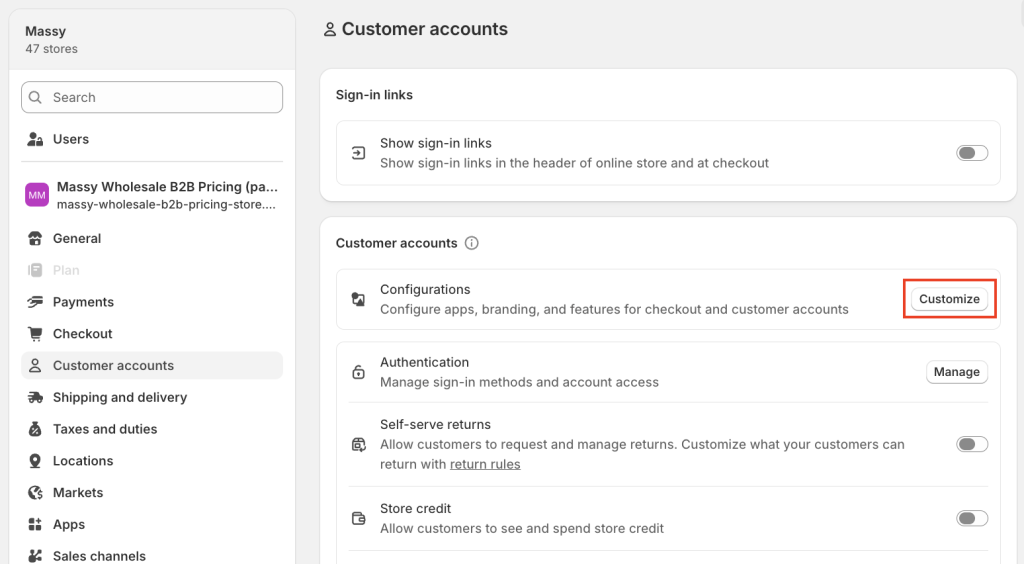
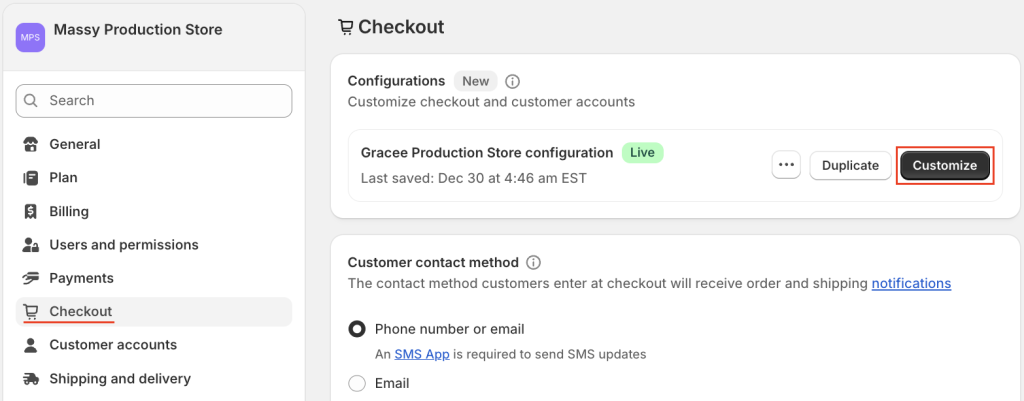
In Settings > Customer accounts,click Customize – it will open the Checkout tab.
> Click Customize to enter Theme Editor.
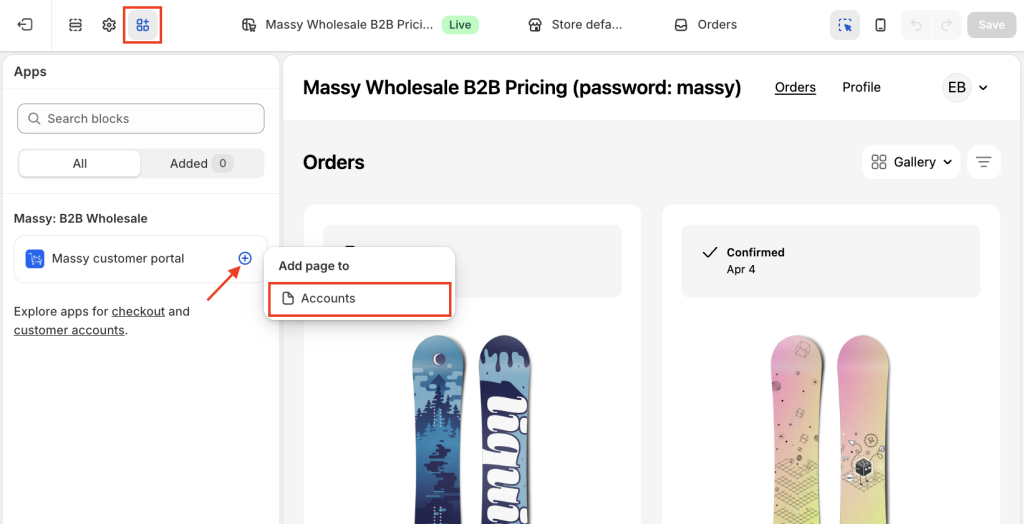
In the top dropdown, select Orders page.
In the left panel, go to the Apps section > add Meety customer portal> Add page to Account.
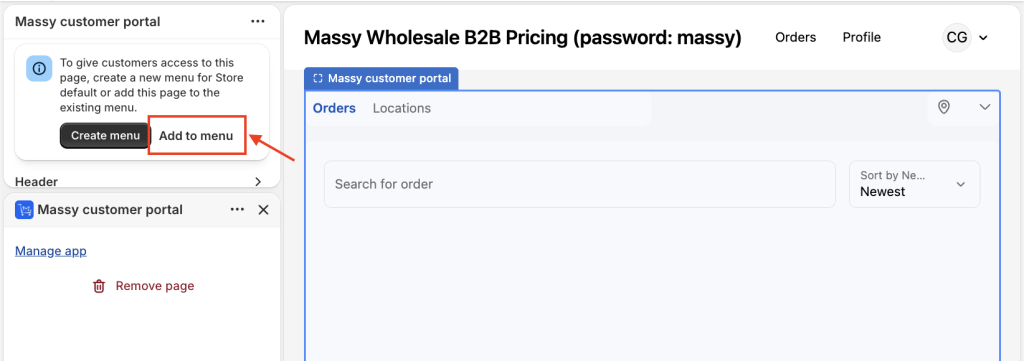
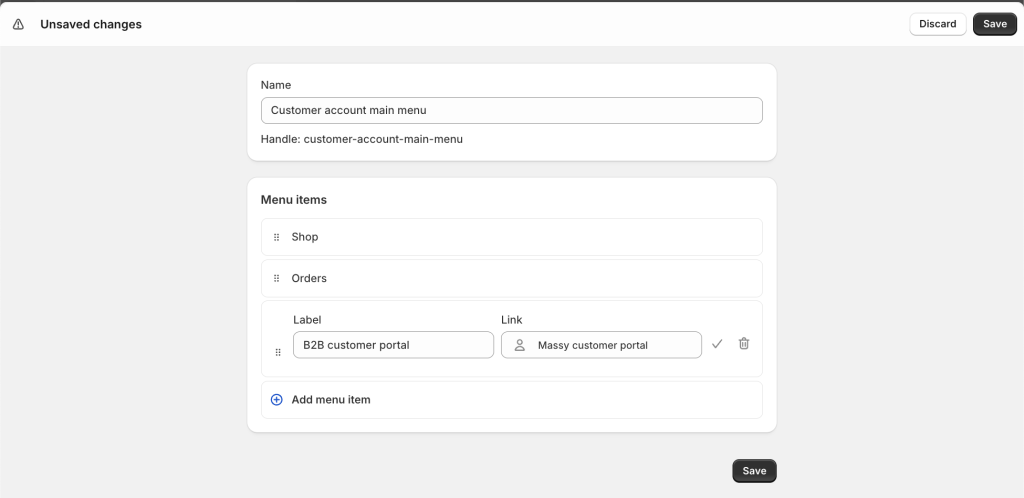
Scroll up to see the banner, then select, then select Add to menu > Save, to give customers access to this page.
After adding, a screen will appear where you can edit the display label (for example: B2B customer portal), then click Save.
How does the feature look to customers?
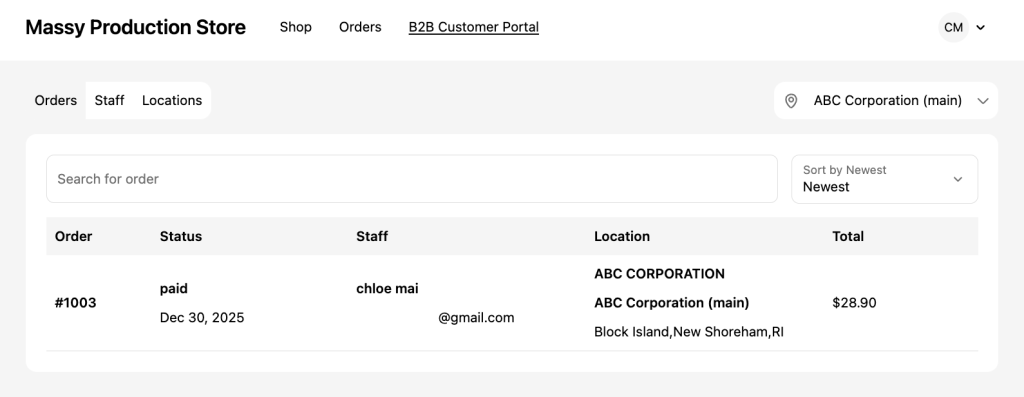
When you open customer portal, an additional section “B2B customer portal” (or the name you set) will appear as shown below:
If you have any further questions or need additional help, our support team is here to assist you 24/7! You can reach out to us through live chat, or by emailing support@massyapp.io.