
How to combine and set priority for multiple rules?
The Combinations feature lets you decide how Custom Pricing and Volume Discount rules work together. You can either allow them to combine or set a priority between the two.
How to configure:
Go to Massy Settings → scroll down to the Combinations section
You can enable the toggle: Allow Custom Pricing and Volume Discount to combine
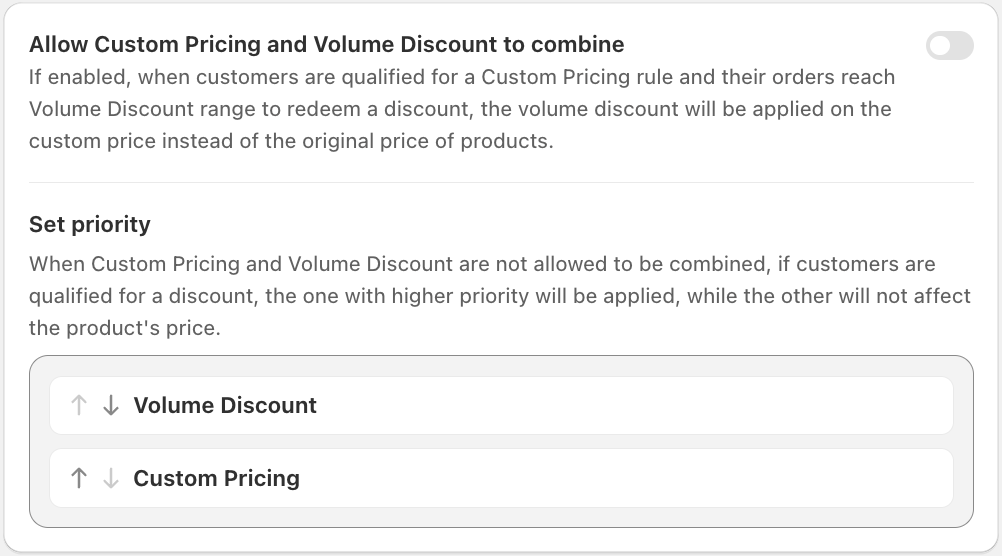
At default:
Custom Pricing and Volume Discount do not work together.
Then you can set a priority between the two rules. If a customer qualifies for both, only the higher-priority rule will be applied, whileThe other rule will not affect the product’s price.
Enable Combination:
If you enable the option Allow Custom Pricing and Volume Discount to combine:
When a customer qualifies for a Custom Pricing rule and their order reaches the Volume Discount range to redeem. The Volume Discount will be applied on the custom price (instead of the original product price).

Example
- Custom Price: $90 (discounted from $100)
- Volume Discount: 10% off when buying 5+ items
- If enabled and customer qualifies for both, the 10% discount is calculated on $90, not $100 → final price = $81
If you have any further questions or need additional help, our support team is here to assist you 24/7! You can reach out to us through live chat, or by emailing support@massyapp.io.